Languages and markets
Languages in Newtone and Shopify
As a dedicated high-quality translation solution, Newtone supports granular regional language variations, distinguishing, for example, French (France) - fr-FR - from French (Canada) - fr-CA. Shopify, by contrast, generally supports only base languages (e.g. French) without regional variations, with very few exceptions (Chinese and Portuguese).
This raises the question of how to deliver different content for different variations of the same language within a single store. Common reasons for needing this include:
Linguistic differences - e.g. vocabulary and phrasing differences between Canadian and European French.
Currency differences - relevant when content contains hard-coded currency references, e.g. distinguishing German for Switzerland (CHF) from German for Germany (EUR).
The standard pattern for handling this is markets: you override the default content of a given language (e.g. French) within a specific market. Newtone supports this.
Choosing languages and markets in the Newtone Shopify app
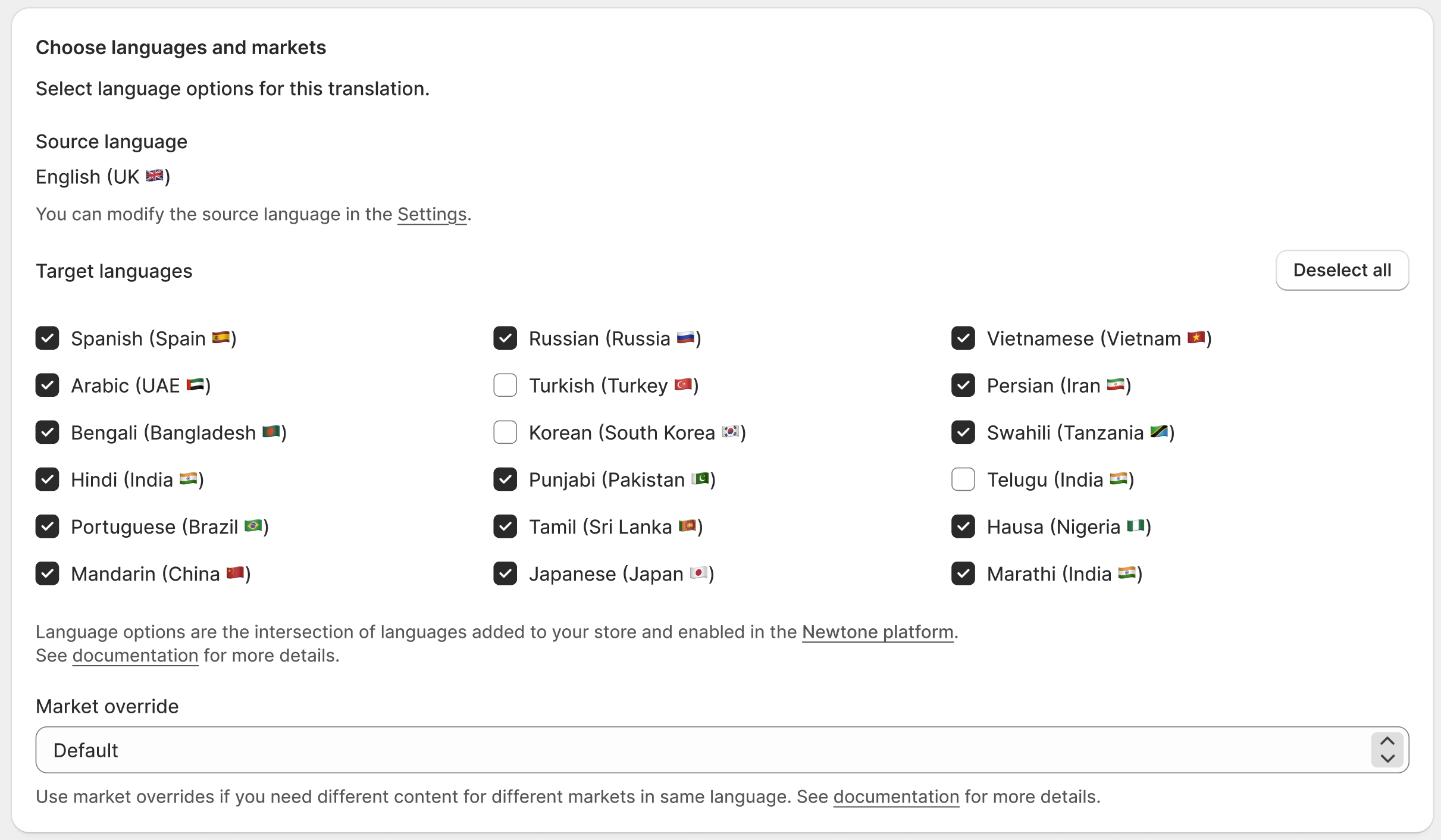
The translation configuration lets you select your target languages and, optionally, a market override.
Target languages
You select target languages using the granular language + region format (e.g. fr-CA). The region is used by the AI to produce the correct regional variation. Newtone then syncs the translated content back to the corresponding base language in Shopify (dropping the region, since Shopify has no concept of it).
Because the regional variation does not exist in Shopify, you can only translate into one regional variation of a given language at a time. For example, you cannot target both de-DE and de-CH, because Newtone would have to sync both to the same Shopify language (German), and they would overwrite each other.
Market override
Choose a market override when you want translations synced back to a specific market rather than the store default. For example, if your store's default French content targets France (fr-FR), but you also serve French-speaking customers in Canada through a dedicated Canada market, you can:
Set your target language to
fr-CA.Select the Canada market as the override.
Newtone will then sync the Canadian French translation to French within the Canada market only, leaving your default French (France) content untouched. Customers shopping in the Canada market see the fr-CA translation; everyone else continues to see the default fr-FR content.